
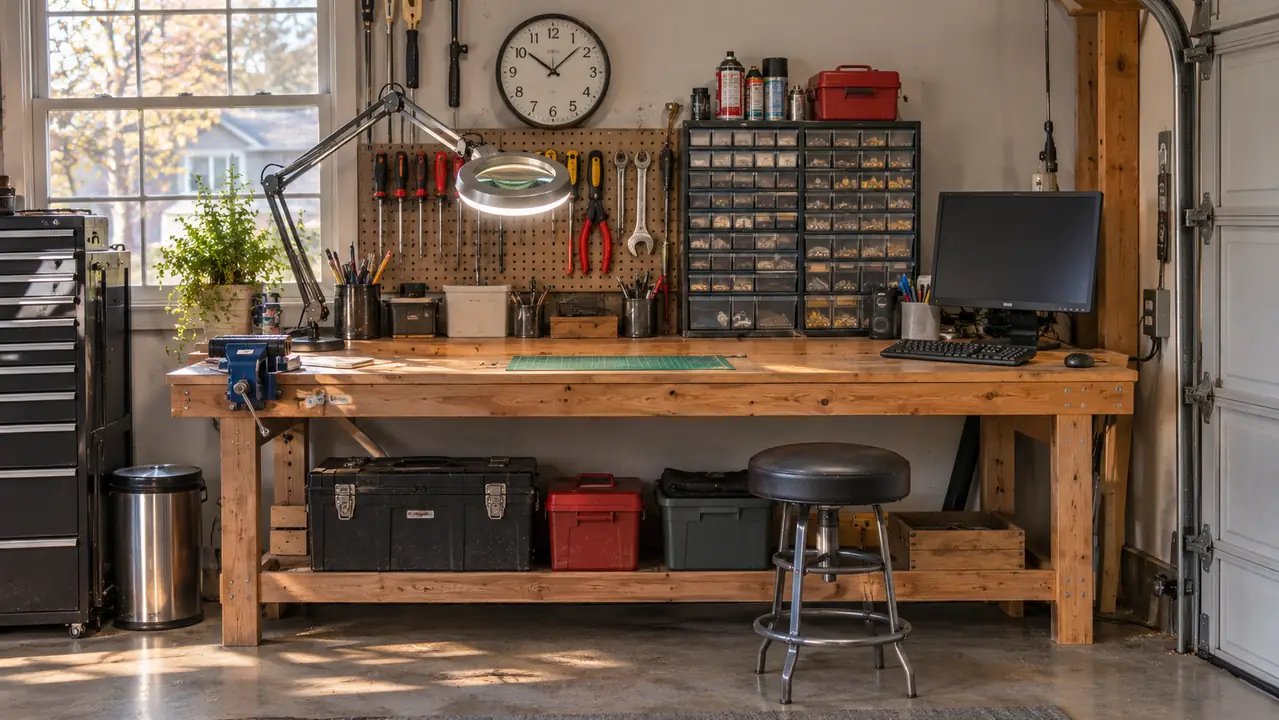
I have had the CanaKit Raspberry Pi 4 4GB Starter PRO Kit bolted to the right end of my workbench since October 2024, sharing a small spare HDMI monitor with a USB keyboard. Before I retired I spent 34 years troubleshooting avionics, so I have opened more equipment than most people will ever own. That means I know what a kit like this teaches a beginner, and I know the exact point where it runs out of road.
Here is the short answer. If what you want is to understand how software touches the physical world, meaning pins, jumper wires, sensors, and a program that makes something happen out in the garage, buy the kit. If what you want is a cheap desktop to practice Linux commands and Python syntax on, a used off-lease mini PC will do that and hand you more raw machine in the process. Most adults who ask me this question are describing the first need and shopping for the second, and that is why they end up flat with whichever one they bought.
| CanaKit Raspberry Pi 4 Kit | Used mini PC | |
|---|---|---|
| What is in the box | Board, pre-loaded 32GB micro SD card, case with integrated fan mount, low noise fan, 3.5A USB-C power supply, heat sinks, 6 foot display cable, on/off switch | The machine and usually a power brick. No monitor, no keyboard, and no cable you did not think to ask about |
| Talking to hardware | A GPIO header you can land a jumper wire on the first night | USB ports only. Real sensor work needs an adapter board bought separately |
| Time to a working desktop | The card is pre-loaded, so it boots the first time you apply power | Windows or Linux is already on the drive, assuming the seller wiped it properly |
| Raw compute for compiling and browsers | 1.5 GHz quad-core with 4GB of RAM. Comfortable for Python, slow with fifteen tabs open | Off-lease business machines generally carry more cores and more memory |
| Storage | 32GB on a micro SD card, swappable for any card you have in a drawer | Usually a proper SSD, and usually far more room |
| Power and heat when left running | Runs off a USB-C supply with a low noise fan on the case, and can sit humming on a shelf for days | A desktop supply and a fan designed for an office, not a garage shelf |
| Getting help when you are stuck | The kit documentation plus a very large beginner community that owns the same board | Generic Windows and Linux help. Nobody wrote a tutorial for your exact machine |
| When something dies | New product with a vendor behind it. The card and the power supply are the two parts that fail first, and both are standard | Whatever the seller offers, usually a short window, and then you are on your own |
| Upgrade path | Swap the card, add USB devices, or move to a newer board later and keep the case, supply and switch | Standard memory and drive, if the model you bought happens to have a slot you can reach |
| What it cannot do | No x86. Software built only for Intel or AMD will not run | No GPIO. You cannot wire a sensor straight into it |
How I'm Judging This
One thing up front, because it decides how much weight you give each side. I own the CanaKit. It has been on the bench for a little over two years, and I have used it for exactly two jobs, learning Python and Linux at my own pace, and a garage temperature logger I wrote myself. I did not own a Raspberry Pi before this one, and it took me a couple of evenings to stop treating it like a mystery box.
I do not own a used mini PC. I have never bought one for this bench, so I am judging that side from listings, from the off-lease machines I opened and rebuilt at the hangar over 34 years, and from what the people who do run them complain about. Where I have not put my hands on something, I will tell you so rather than pretend otherwise.
Where the CanaKit Wins
The first win is the header. The board carries a GPIO connection, a double row of pins you can wire into, and that header is the entire reason to own this thing. On your first evening you can land a jumper wire on a pin, run a few lines of Python, and watch something in the physical world respond. A used mini PC cannot do that. You can bolt a USB adapter onto it and spend a weekend on drivers, but that is not the same experience and it is not the thing you came for. If your interest is sensors, robotics or anything that blinks, the header is the difference between learning and reading.
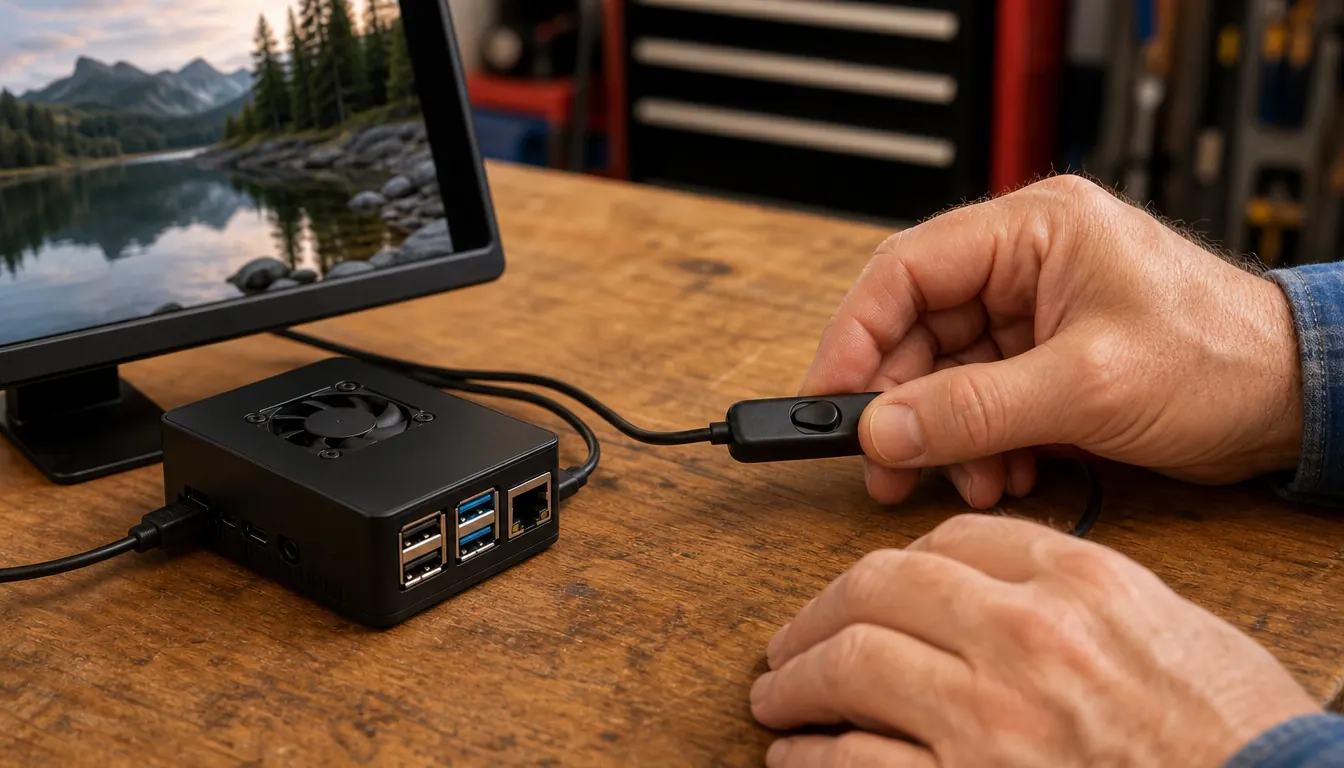
The second win is that the box is complete. Mine arrived with the board, a pre-loaded 32GB EVO+ micro SD card, a case with an integrated fan mount, the low noise bearing fan, a 3.5A USB-C power supply with a noise filter, a set of heat sinks, a 6 foot display cable and an inline on/off switch called the PiSwitch. The only things I added were a monitor and a keyboard I already had sitting in a closet. I applied power, it came up to a desktop, and I was writing a Python file before that evening was out. The best thing I can say for the kit is that the first night went into the machine instead of into a scavenger hunt for the one adapter the listing did not mention.
The third win is forgiveness. In my first months I wired an LED without its resistor and burned it out. One LED, and a lesson that stuck better than a chapter on current limiting ever would have. A new board with a documented pinout, a case around it and heat sinks already stuck to the chips is a very forgiving thing to be clumsy with. The PiSwitch matters too. I stop it properly at night instead of yanking a live connector out of the side of it, and that is the habit I would rather a beginner build from the start.
And it sips power. Mine runs off the USB-C supply without warming the garage, so I can leave it running for days at a time, which is exactly what the temperature logger needs from it. A desktop machine built for an office draws a good deal more and makes more noise doing it, and you notice both in a small room.
Where the Used Mini PC Wins
Raw machine, and this is not close. An off-lease business desktop that a company replaced two or three years ago generally carries more cores, more memory and a proper SSD than a 4GB Pi 4. Compile something large, or open a browser with fifteen tabs while a full desktop environment runs underneath, and the mini PC does not notice while the Pi starts to crawl. If your idea of learning involves a database server, containers or a modern desktop, that headroom stops being a luxury and starts being the point.
Storage and the operating system are the second win. The kit gives you 32GB on a micro SD card, and that fills up faster than you expect the first time you install a few packages. A used mini PC usually arrives with a real SSD and Windows already on it, which means you are learning on the same kind of machine you will meet in a library, an office or a church basement. Learning Linux on it is easy enough, either installed alongside Windows or run inside a virtual machine, and you have the room to do either one.
The third win is x86 compatibility. Some software only ships for Intel and AMD. If a course, a book or a piece of software you want assumes a normal Windows PC, the mini PC runs it and the Pi does not. That wall shows up quickly and it is genuinely irritating when it does. I hit the same wall from the other side, hunting for a small library that only had an ARM build, and I ended up writing the routine myself.
If the wiring is the part you actually came for, this is the shorter road
The kit arrives with the board, the card, the case, the fan, the power supply and the switch. Add a monitor and a keyboard and you are writing code the same evening. No adapter board, no driver hunt, no guessing which listing is the real thing.
Amazon See the Kit on Amazon →I have never once wished the bench Pi was faster. I have wished, several times, that a desktop could take a jumper wire.
What Two Years on the Bench Actually Taught Me
The honest answer is that the Pi taught me two things I did not expect. The first was the terminal. I had spent 34 years reading schematics and chasing signals through a harness, and I had never really lived in a command line. Learning it on a machine that boots into a Linux desktop, with the whole filesystem in front of me and nothing I could ruin permanently, changed how I read a computer. I understand now what a permission error is actually telling me, and I keep a notebook of the commands I use.
The second was the temperature logger. I wanted to know how cold the garage got overnight in winter, because solder behaves differently when the bench is cold and I wanted real numbers instead of a guess. Writing a short Python script, reading a sensor on the header, writing the numbers to a file and then graphing a week of them is the kind of project that sticks. It is not impressive. It is mine, and it is still running.
What did not happen is just as instructive. I did not become a programmer. I did not go looking for work in it, and I would not tell anyone that a starter kit leads to a career. What it leads to is a bench where you are no longer afraid of the box, and that is worth something on its own.
The Parts of a Used Mini PC Nobody Warns You About
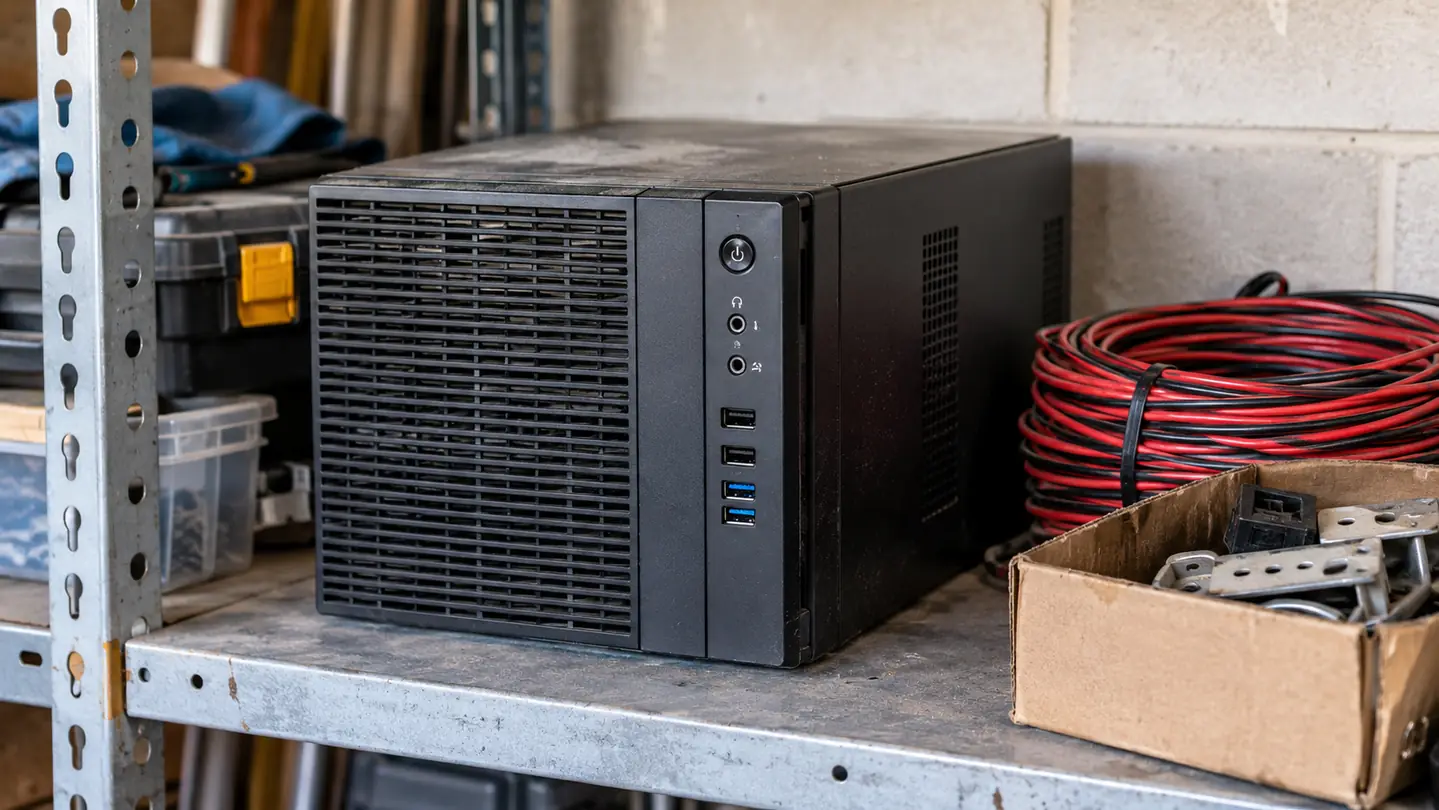
A used business machine is a good deal and it is also an unknown quantity. The listing tells you the processor and the memory and not much else. It does not tell you whether the thermal compound under the heatsink dried out three summers ago, or whether the fan has been screaming in a closet since 2022. On the bench I have opened machines that were spotless inside and machines with a visible fur of dust in the fins, and the photos in the listing looked identical for both.
The other thing is the story you inherit. Some of these come wiped properly. Some come with a local admin account and a company name on the login screen, and then you are the one figuring out how to get a clean install onto it. That is a fine lesson, but it is not the lesson you signed up for that week. And when something fails in month seven, you are dealing with whatever the seller's window was, not a vendor who still supports the product.
The Mistake People Make Either Way
The mistake with the kit is buying it and then using it as a small slow browser. If you never open a terminal, never land a wire on the header and never write a line of Python, you have bought a slow computer and you will resent it inside a month. The kit only earns its place when the thing it can do that a desktop cannot is the thing you actually do with it.
The mistake with the mini PC is the same mistake in reverse. It arrives working, so it is easy to spend six months watching videos about learning Linux instead of installing it. Both machines need a project with a finish line. A sensor that logs a number every ten minutes is a better teacher than any course I have sat through, and it does not care which side of this comparison you bought.
Who Should Buy Which
Buy the CanaKit if your curiosity points at hardware. If you have ever wondered what a pin is for, if you want a car with a line sensor or a box in the garden that reports the soil moisture, this is the machine that lets you start tonight. It is also the better pick if you want to learn on something new, with a case, a supply and a vendor behind it, and if the idea of troubleshooting a stranger's old desktop makes you tired before you begin. It is a small computer, so keep your expectations about performance where they belong.
Buy a used mini PC if you want a general purpose computer and your interest is in the software. If you plan to work through a Linux course, learn Python, run a virtual machine, or install a database and poke at it, the extra memory and the SSD will serve you better and you will not spend your evenings waiting on a compile. Just go in expecting a weekend of setup, and buy from a seller who takes returns.
And if you are the sort of person who will end up with both, do them in order. Start with the kit, because the kit teaches you what the header is for and gives you a reason to keep a computer on the bench. Add the used mini PC later, when you hit a wall that only more machine can solve. Buying both in the same week is how you end up with two boxes and no project.
Two years in, the kit is still the thing I reach for first
The board, the card, the case, the fan, the supply and the switch come in one box. The monitor and the keyboard are the only extras. If you want the shortest path from a delivery on the porch to a program that reads a sensor, this is it.
Amazon Look at the Kit on Amazon →