
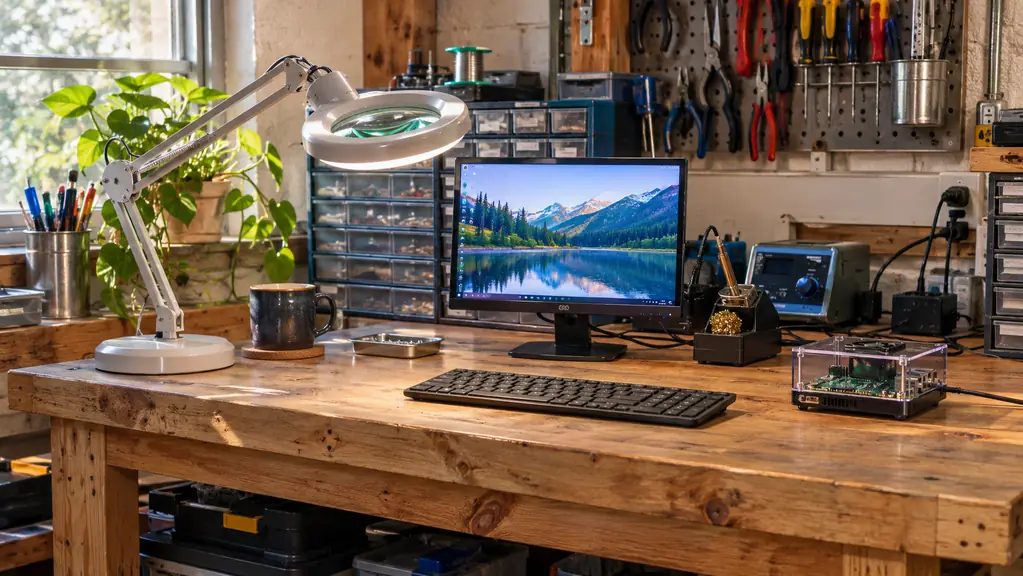
There is a spot at the right end of my workbench that stays clear even when nothing is sitting on it. A small spare HDMI monitor, a USB keyboard, and a single-board computer in its case with a fan mounted on top. That is the CanaKit Raspberry Pi 4 4GB Starter PRO Kit. I bought it in October 2024, eleven months after I retired from thirty-four years of aircraft avionics work, mostly to find out what hobby electronics looked like from the inside. Two years and a month later it is still the first thing I switch on in the garage and usually the last thing I switch off.
Bench space is the hardest currency in a two-car garage. Every kit that lands on my bench has to earn its footprint against a soldering station, a parts drawer cabinet, a magnifier lamp and whatever robot is currently half-finished. Most starter kits lose that fight inside a month. The parts go into a drawer, the instructions go into a different drawer, and the board ends up in a box with the spare ribbon cables. This one did not lose. Here are ten reasons why, from someone who has actually run it for two years rather than read the listing once.
It booted on the first evening. That is the entire pitch.
A 32GB card that is already loaded, a 3.5A USB-C supply with a noise filter, a case with a fan mount and the fan to go in it, and a switch you can actually press. Plug it in, switch it on, and the first thing you have to fix is your own code.
Amazon Check Today's Price on Amazon →It boots on the first evening, before you can lose interest
The single biggest reason a starter kit survives on a bench is whether it produces a working screen on day one. This one did. The 32GB EVO+ micro SD card arrives pre-loaded with the operating system, Class 10, so there is no imaging step, no downloading a distribution and writing it with a tool you have never used before. The 3.5A USB-C power supply is in the box. The display cable is in the box. I plugged three things in, pressed the switch, and had a desktop. Momentum is a real component in this hobby, and most kits burn it before the first lesson.
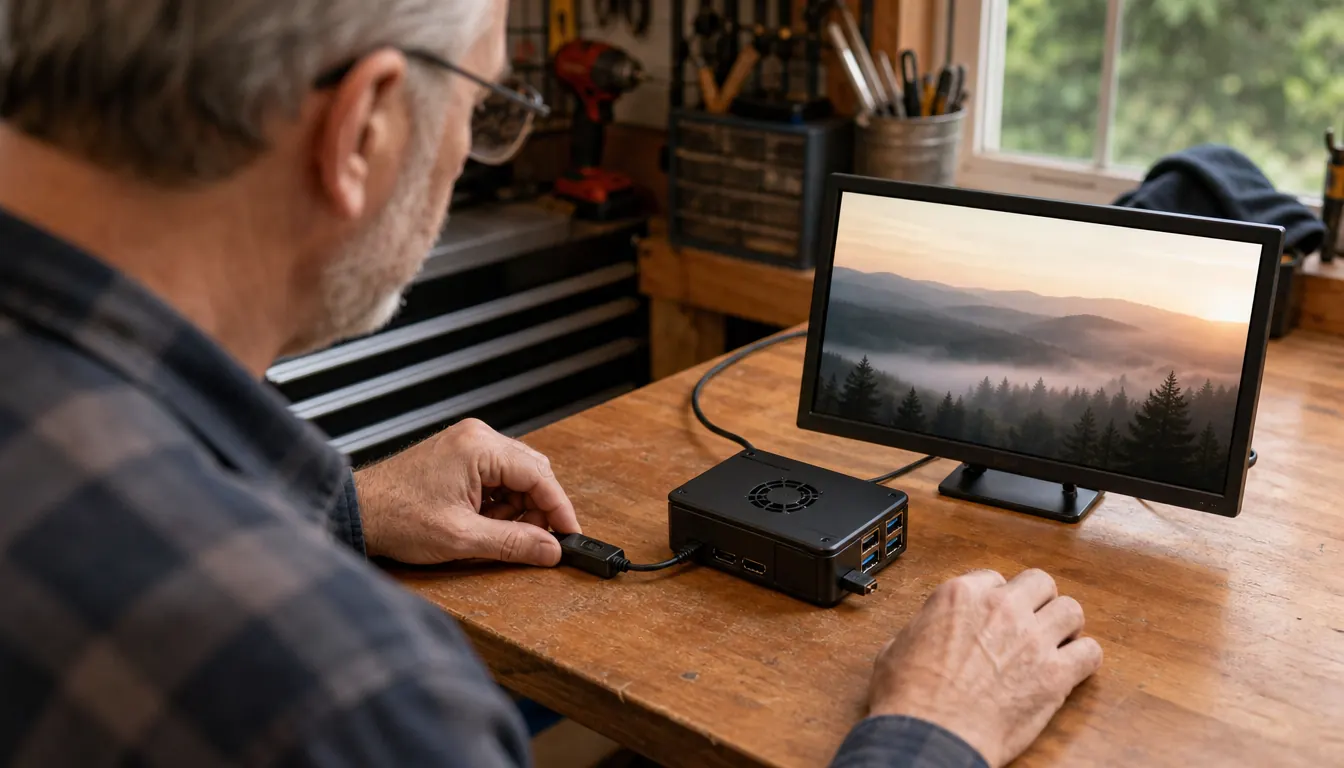
The 3.5A supply with a noise filter removes the failure nobody diagnoses
In thirty-four years of avionics work I never once saw a system behave correctly on bad power. Hobby boards are the same, except the symptom is usually a random reboot or a corrupted card that gets blamed on the software. CanaKit ships a 3.5A USB-C supply with a noise filter rather than a phone charger in a bag. I put my meter across the rail on the second evening, out of habit, and it sat steady. That is the sort of boring detail that decides whether a beginner keeps going or concludes they are bad at this.
The PiSwitch means you stop pulling the cable out
The kit includes the CanaKit USB-C PiSwitch, an inline on and off switch for the power. This sounds trivial until you have corrupted a card by yanking the connector while the thing was writing to it. The habit I teach anyone who sits at my bench is simple: shut down from the menu, wait for the activity to stop, then press the switch. Having a real switch makes that a two-second ritual instead of a reach behind the case. Small part, real consequence.
The case was designed with a fan mount, and the fan comes with it
A board in open air is fine until you ask it to do something for hours on end. Mine runs a temperature logger through the night and a desktop during the day, so it is never really idle. The premium case has an integrated fan mount, and the kit ships the low noise bearing system fan that goes into it. It is quiet enough that I forget it is running two feet from my ear, and the case keeps the board off the bench where it would otherwise collect solder splatter and sawdust.
The heat sink set goes on the chips that actually warm up
A set of heat sinks is included, and they are sized for the chips that get warm under load rather than being decorative squares with adhesive backing that let go in a week. I fitted mine the first night, before the case went on, and have not touched them since. After two years of nightly running the case is warm to the hand, not hot. If you have ever had a small board throttle itself in the middle of a long job, you already know why this matters.

4GB of RAM and a 1.5GHz quad-core chip is enough to learn on
The kit is built around the Raspberry Pi 4 Model B with 4GB of LPDDR4 memory and a 1.5GHz 64-bit quad-core Broadcom processor. That is enough to run the desktop, a terminal, a browser tab and a Python script at the same time without the machine getting in your way. It is not a workstation, and I would not pretend otherwise. But for learning Linux, writing a script, watching it fail and then fixing it, this does the job without you having to think about the hardware at all.
The GPIO header keeps your breadboard skills from going stale
Connectivity on this board is GPIO, and that is the part I care about most. My first microcontroller kit taught me to wire a breadboard. This one lets me take the same habit and drive it from Python instead of a sketch. Before I connect anything I check the rail voltage with the meter, because a board that is already working is a terrible thing to cook by accident. Two years of small projects and the header has outlasted every jumper wire I own.
The microSD reader turns the card into something you can back up
The kit ships a USB micro SD card reader alongside the pre-loaded 32GB card. Most people ignore it until the day the card misbehaves. I use mine about once a month: pull the card, copy an image of it to the laptop, put it back. It takes ten minutes, and it means a bad evening costs me a reflash instead of a lost project. This is the least exciting item in the box and the one I would replace first if it went missing.
The six-foot display cable is the difference between a bench and a floor build
A six-foot display cable with HDMI support is included, and length matters more than it should. My monitor sits at the back of a six-foot bench, the board sits at the right end near the keyboard, and the cable reaches with slack to spare. Short cables are what push people into building on the floor, and builds on the floor get stepped on. It is one of those inclusions you never notice until you are working with a kit that leaves it out.
It becomes an instrument instead of a toy
The reason this kit still has bench space after two years is that it stopped being a kit and started being equipment. Mine runs a temperature logger I wrote myself, logging the garage through the winter, and I read the output from my laptop in the house. Writing that taught me more Linux than any tutorial I have read, mostly because I had to fix it every time it broke. A kit that graduates into a tool you rely on is worth its footprint. Most of them never graduate.
The kit's job is not to teach you electronics. It is to hand you a machine that already works, so the only thing left to debug is your own code.
What I'd Skip
Two years in, here is what I would not spend on. I would skip the second case, skip the spare card on day one, and skip the larger bundles that add parts you will not touch for a year. If you already own a 3.5A USB-C supply and a Class 10 card, buy the board on its own and save the shelf space. I would also skip the assumption that this kit replaces anything, because it does not include a monitor or a keyboard, so plan to use the spare ones in the closet or buy them separately. And skip the idea that it will teach you by itself. The kit gets you a working machine. The learning is the part you do at the bench, badly, for a while, until it is not bad anymore.
Two years, one card, nothing returned
The CanaKit 4GB kit has been switched on more evenings than not since October 2024. It is not the most impressive thing on my bench. It is the one I would replace the same week if it died.
Amazon Check Today's Price on Amazon →